


Word Search
4.837.44K Reviews
App Specs
- Version
- 2.2.7
- Updated On
- License
- Free
- Downloads
- 10,000,000+
- Developer
- Italic Games
- Categories
- Word
- Platform
- Android, iOS
Screenshots
 Analysis by AppCompare
I judge a quick word puzzle partly by what happens before the first letter is found: does it get out of the way, and can I pick it up without planning a long session? Word Search is built around that simple loop. It is a free word game from Italic Games, and its appeal is less about a complicated system than having a grid ready when I want a brief, focused distraction.
Quick sessions suit the format
A word search is naturally easy to start and stop, which makes this a practical choice for short gaps in the day. I can imagine opening it while waiting for an appointment, playing a puzzle, and putting the phone away when my turn comes. That kind of use is where a straightforward grid works better than a story-driven game that asks me to remember where I left off.
The pace still depends on the puzzle and on how carefully I scan. A familiar theme may make words jump out quickly; a denser grid or less familiar vocabulary can slow me down. I would treat the game as a relaxed attention exercise rather than expect every round to deliver a fast win. If I’m in a hurry, I can stop after a short session instead of needing to reach a distant checkpoint.
What to expect during longer play
Playing several puzzles back to back changes the experience. At first, the search feels pleasantly absorbing; after a while, repeatedly scanning rows and diagonals can become tiring, especially on a small screen. I find it more comfortable to pause between rounds than to keep pushing through just because another grid is available. The game’s simple premise is a strength, but it also means the central activity remains much the same.
For a useful everyday routine, I’d keep a puzzle for a moment when I can give the screen my attention rather than try to play while walking, crossing a street, or listening for something important. The grid rewards deliberate scanning. A quick glance between other tasks may be enough for a few words, but it is easy to lose your place when your attention keeps shifting.
Reliability and the feel of play
The basic interaction is familiar: locate a word, trace it through the grid, then look for the next one. That makes the game approachable without a long learning period. I would still allow for the occasional awkward swipe or missed selection on a small display; touch accuracy can depend on how the letters fit on your particular device and how carefully you drag. Slowing down slightly is a sensible fix before assuming a puzzle is at fault.
In practical terms, I see this as a lightweight kind of game rather than something that needs elaborate preparation. A word-search grid asks for attention, not fast reactions or a complicated control setup. If the app pauses or the phone interrupts a session, a puzzle’s basic logic is easy to understand again when you return. That makes it less demanding to resume than a game built around a long chain of actions, though I would not treat any mobile app as a substitute for saving progress in a more involved game.
Worth Reading Before You Choose

Baby Panda World Brings Quick Play to Modern Phones, but Its Game Library Feels Busy

ESPN’s Live Game View Makes Following Close Games Easier

QuizzLand Review: A Good Fit for Short Trivia Breaks, Not Every Player

Basketball Stars: Multiplayer Is Fast, but Can It Recover When Matches Go Wrong?

WEBTOON Turns Phone Updates Into a Better Reading Routine

Link to Windows Runs on Shared Habits, Not Social Feeds
Device fit and sensible expectations
The game is listed for devices running Android 4.0 or later, and its simple grid-based format is a natural match for phones and tablets. On an older or smaller device, I would pay attention to letter size and comfort: if I have to squint or make very tiny swipes, a larger screen may make a longer session easier. The format itself is uncomplicated, but that does not mean every screen will feel equally comfortable for extended play.
It has an average rating of 4.8 from around 447,000 ratings, with more than 10 million installs, so it has reached a broad audience. It is rated Everyone, which suits a word puzzle that is easy to understand across age groups. Its current version is 2.2.5, and it was released on August 19, 2019. Those details offer context, but my practical advice is simpler: try a short session first and see whether the grid is comfortable to read and select on your device.
Who will enjoy this kind of puzzle?
I’d recommend it to people who like word searches, want a low-pressure activity, or prefer puzzles they can approach in short bursts. It may also suit someone looking for a quiet screen activity to share with a child or older relative, provided the text is comfortable to read. If you mainly want deep strategy, a changing set of mechanics, or a strong narrative, this is probably not the game I’d choose; a crossword, word-building game, or story puzzle may hold your interest longer.
Compared with paper word-search books, a phone version is convenient to carry and lets you begin without setting anything up. Paper, on the other hand, is easier on the eyes for some people and does not compete with notifications or other phone distractions. Against word games that ask you to form words from a rack of letters, this one emphasizes visual scanning and recognition rather than spelling out every possible combination. The right choice depends on whether you want to spot words already hidden in a grid or actively construct them.
Getting Started with Word Search
First things first, downloading the Word Search app is a breeze. Available on both Android and iOS, it’s just a quick tap away from joining your app collection. Once installed, you’re greeted with a clean, intuitive interface that’s all about getting you into the action as quickly as possible. No fluff here—just pure, unadulterated word-finding fun.
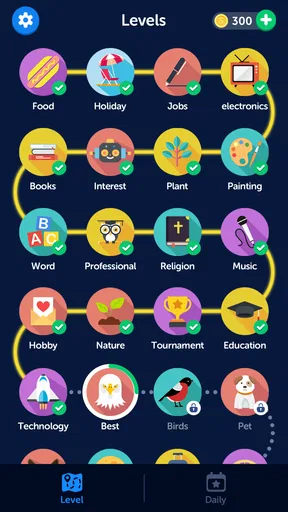
As soon as you open the app, you can jump straight into a game. If you’re new to word searches, don’t worry! The app offers varying levels of difficulty, so you can start easy and work your way up to the more challenging puzzles. For the veterans out there, the higher levels are sure to test your skills.
The Gameplay Experience
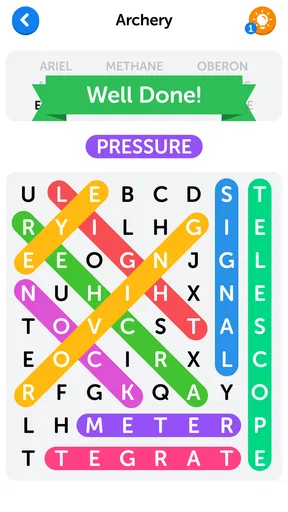
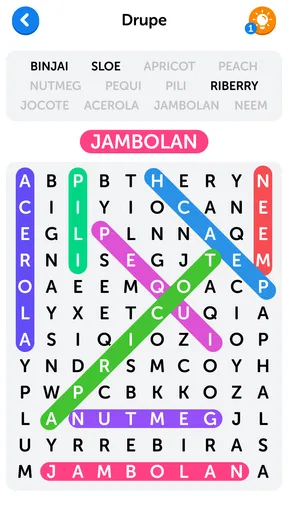
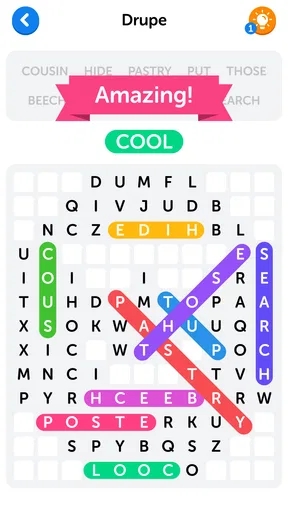
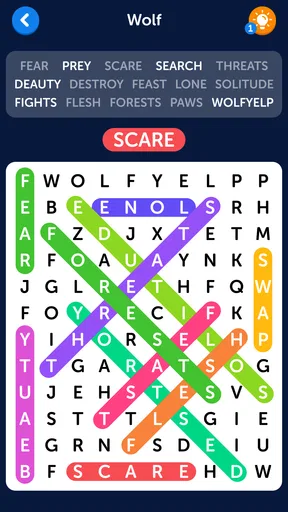
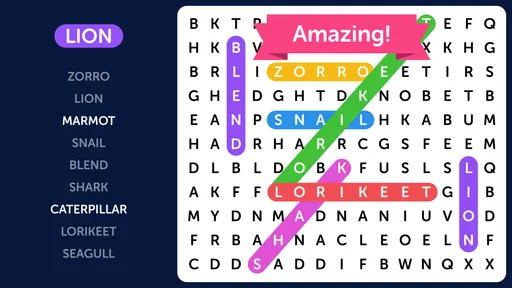
Once in the game, you’re presented with a grid of letters, and your task is to find all the hidden words. You can swipe your finger across the screen to highlight the words, and I must say, the touch response is buttery smooth. There’s something incredibly satisfying about swiping through a word and watching it highlight in a vibrant color.
The words can be hidden in all directions—vertically, horizontally, diagonally, and even backwards. This means you’ll need to keep your eyes peeled and your brain engaged. It’s not just about finding words; it’s about finding them quickly, which adds a nice competitive edge if you’re timing yourself or playing against friends.
Features That Stand Out
One of the standout features of Word Search is the variety of themes available. You can choose from categories like animals, food, sports, and more. This not only keeps things interesting but also helps expand your vocabulary in different areas. It’s like learning without even trying!
I also love the daily challenges. These are specially curated puzzles that change every day, giving you a reason to come back to the app regularly. Completing these challenges earns you rewards, which can be used to unlock more themes or hint options. It’s a great way to keep the game fresh and engaging.
Visuals and Sound
The app’s visuals are simple yet effective. The design is clean, making it easy to focus on the task at hand. The color scheme is easy on the eyes, which is crucial when you’re staring at the screen hunting for words.
As for the sound, it’s subtle but pleasant. There’s a light background tune that’s not intrusive, with sound effects that give a satisfying "ding" whenever you find a word. It’s these little touches that enhance the overall experience without overwhelming you.
Why You Should Give It a Try
If you’re into word games or just looking for a casual way to keep your mind active, Word Search is definitely worth a download. It’s free, fun, and offers a great way to pass the time while giving your brain a workout. Plus, the app is frequently updated with new content, so there’s always something new to explore.
Whether you’re waiting for your coffee to brew or just chilling on the couch, this app is sure to entertain. So, why not give it a try? You might just find yourself addicted to finding words in no time!
Pros
- Simple
- intuitive interface.
- Large variety of word themes.
- Offline play available.
- Adjustable difficulty levels.
- No intrusive ads.
Cons
- Limited word list repetition.
- No multiplayer mode.
- Occasional minor glitches.
- In-app purchases for hints.
- Limited customization options.
FAQs for Word Search
What is Word Search, and how does it work?
Word Search is a classic puzzle game available for both Android and iOS devices. The game involves finding hidden words within a grid of letters. Players are challenged to locate words from a list, which can run horizontally, vertically, or diagonally. The app offers various difficulty levels, making it suitable for both casual players and word puzzle enthusiasts.
Is Word Search free to download and play?
Yes, Word Search is free to download and play on both Android and iOS platforms. While the basic version provides a comprehensive gaming experience, it may contain ads. The app also offers optional in-app purchases, allowing users to remove ads or access additional features, such as new themes or word categories.
What features does Word Search offer to enhance the gaming experience?
Word Search includes several features designed to enhance the user experience. These include multiple difficulty settings, a variety of word categories, and a hint system for challenging puzzles. Additionally, players can compete in daily challenges and track their progress through leaderboards. The app also supports offline play, allowing users to enjoy it without an internet connection.
Can children play Word Search, and is it educational?
Word Search is suitable for players of all ages, including children. It can serve as an educational tool by helping improve vocabulary and spelling skills. The game’s adjustable difficulty levels make it accessible for younger players, while the diverse word categories can introduce new topics and words, contributing to language development.
Does Word Search require an internet connection to play?
No, Word Search does not require an internet connection for most of its features. Players can enjoy the majority of the game’s content offline. However, certain features, such as leaderboards and daily challenges, may require internet access to update and display current standings or new challenges.


